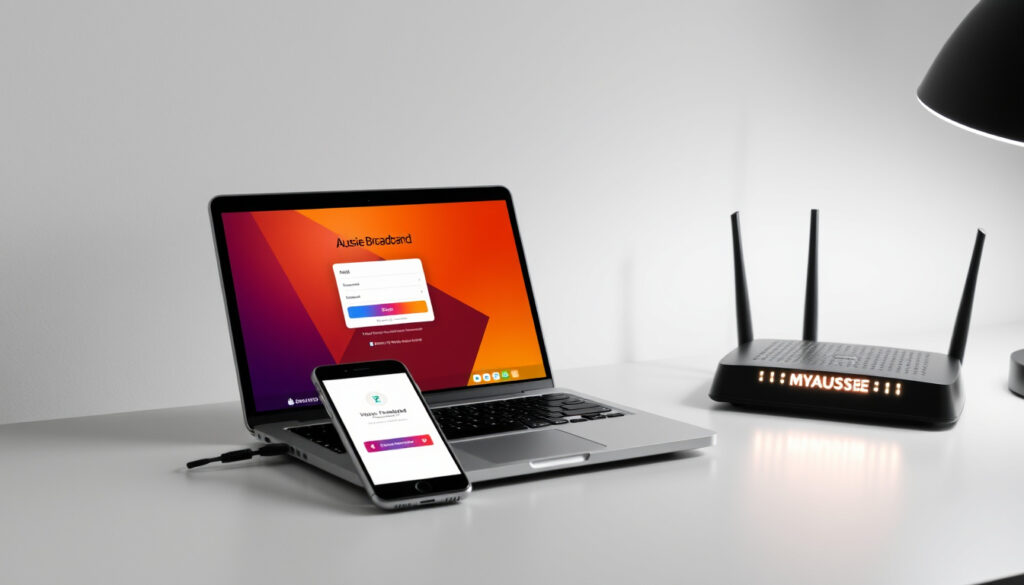
Aussie Broadband Login: How to Access MyAussie, Webmail & App
If you’ve ever tried to log in to your Aussie Broadband account and ended up confused about which portal to use, you’re not alone. With separate systems for MyAussie, webmail, the mobile app, and business accounts, it’s easy to get mixed up. This guide brings all the login options into one straightforward reference, so you can get in and out quickly.
Login portals: 2 (MyAussie and Webmail) ·
Account types supported: 3 (Personal, Business, Enterprise) ·
App availability: Android via Google Play
Quick snapshot
- Portal for personal accounts (Aussie Broadband – MyAussie App)
- Manage billing, profile, support (Aussie Broadband – MyAussie App)
- Login at my.aussiebroadband.com.au (Aussie Broadband – MyAussie App)
- Access email via browser
- Login at webmail.aussiebroadband.com.au
- Separate from MyAussie account
- MyAussie app on Google Play (Aussie Broadband – MyAussie App)
- Manage account on the go (Aussie Broadband – MyAussie App)
- Same credentials as web portal (Aussie Broadband – MyAussie App)
- Dedicated business account portal
- Requires business credentials
- Available on Aussie Broadband website
A quick reference of key login URLs and account types.
| Item | Value |
|---|---|
| MyAussie login URL | my.aussiebroadband.com.au |
| Webmail login URL | webmail.aussiebroadband.com.au |
| Android app | MyAussie on Google Play |
| Account types | Personal, Business, Enterprise |
| Password reset | Available on each login page |
How do I log in to MyAussie?
MyAussie is the main customer portal for personal accounts. You’ll use it to check outages, upgrade your service, and manage billing — all from one place (Aussie Broadband – MyAussie App).
What is my MyAussie username?
Your MyAussie username is the one you created when you signed up. If you can’t remember it, check your welcome pack — Aussie Broadband includes the details there (Aussie Broadband – How to change your password).
How do I reset my MyAussie password?
Head to my.aussiebroadband.com.au and click “Forgot password.” You’ll receive a reset link. Aussie Broadband requires passwords to be at least 10 characters, include an uppercase letter and a digit or special character, and cannot contain the word “password” (Aussie Broadband password policy). If you choose 16 characters or more, those extra complexity rules don’t apply.
The implication: setting a long passphrase (16+ characters) can save you from hassle without sacrificing security.
How do I access Aussie Broadband webmail?
Webmail is separate from MyAussie. You need to use your full email address and a different password. Go to webmail.aussiebroadband.com.au to log in.
What is the webmail login URL?
The correct URL is webmail.aussiebroadband.com.au. Bookmark it so you don’t accidentally try to log in via MyAussie.
How do I set up webmail for the first time?
You’ll receive your webmail credentials (email address and temporary password) in your welcome email. After first login, the system will prompt you to change the password — follow the same password rules as MyAussie.
The catch: because webmail and MyAussie are separate systems, you may end up managing two passwords. Aussie Broadband’s help centre suggests contacting support on 1300 880 905 if you run into trouble (Aussie Broadband – BYO Router Settings nbn Guide).
How do I use the Aussie Broadband mobile app for login?
The MyAussie app puts your account in your pocket. You can check outages, upgrade your service, and manage billing from your phone (Aussie Broadband – MyAussie App).
Where can I download the MyAussie app?
The app is available on the Google Play Store and the Apple App Store. Search for “MyAussie” and download the official app from Aussie Broadband.
How do I log in on the MyAussie app?
Use the same username and password you use for the MyAussie web portal. The app will sync your account details, billing, and support options (Aussie Broadband – MyAussie App).
What this means: if you’ve already set up your MyAussie credentials, the app requires no extra registration.
How do I log in to my Aussie Broadband business account?
Aussie Broadband offers a dedicated portal for business customers. The login process mirrors the personal MyAussie experience but uses business-specific credentials.
Is the business login different from personal?
Yes. Business accounts are managed through a separate portal on the Aussie Broadband website. The login page will ask for your business account email/username and password.
What details do I need for business login?
You’ll need the account number and primary contact email provided during signup. If you’re unsure, Aussie Broadband recommends checking the welcome pack (Aussie Broadband – How to change your password).
The pattern: personal and business logins share the same password policy but use separate entry points. Make sure you’re on the correct portal before attempting login.
What should I do if I forget my Aussie Broadband login password?
Password recovery is available for both MyAussie and webmail. The steps differ slightly between the two portals.
How do I reset my MyAussie password?
Go to my.aussiebroadband.com.au, click “Forgot password,” enter your username or registered email, and follow the reset link. Once logged in, you can also change your password by going to Profile > Change Password (Aussie Broadband – How to change your password).
How do I reset my webmail password?
Visit webmail.aussiebroadband.com.au and click “Forgot password.” The process is similar, but note that your webmail password is independent of your MyAussie password. If the reset fails, call Aussie Broadband support on 1300 880 905 (Aussie Broadband – Myaussie blog).
If you see “invalid credentials,” first check that you’re using the correct portal — MyAussie vs. webmail. The two systems don’t share passwords. Also verify your Caps Lock is off; Aussie Broadband passwords are case-sensitive.
Confirmed facts
- MyAussie portal is at my.aussiebroadband.com.au
- Webmail portal is at webmail.aussiebroadband.com.au
- MyAussie app is available on Google Play and Apple App Store
- Aussie Broadband offers a separate business login portal
What’s unclear
- Exact steps for password reset beyond the links provided on each login page
- Whether webmail and MyAussie can ever share the same password (currently they are independent)
“The most common router username is admin and the most common passwords are admin or password.”
— Aussie Broadband’s BYO Router Settings nbn® Guide
“A password of 16 characters or longer does not need to meet the extra complexity requirements.”
— Aussie Broadband’s Password Policy
For Australian households juggling multiple logins, the choice is clear: consolidate around the MyAussie app for personal accounts, keep your webmail credentials separate, and treat the business portal as its own domain. If you’re on NBN, remember — there’s no ISP-level username/password like on ADSL (Aussie Broadband – BYO Router Settings nbn Guide). The right login path saves time and frustration.
If you need to change your main account password, see the How to change your Aussie Broadband password guide. For help accessing your router admin interface (often confused with your ISP login), check the BYO Router Settings nbn® Guide.
Related reading: How to change your Aussie Broadband password · BYO Router Settings nbn® Guide
router-network.com, cmobile.com.au, youtube.com, aussiebroadband.com.au, aussiebroadband.com.au
For more details on the service, you can check the Aussie Broadband plans and reviews to understand what options are available before logging in.
Frequently asked questions
Is MyAussie the same as webmail?
No. MyAussie is your account management portal (billing, service upgrades, support). Webmail is for accessing your Aussie Broadband email. They are separate systems with separate logins.
Can I use the same password for MyAussie and webmail?
Technically you can set them to the same value if you change both independently, but the systems don’t sync. If you update one, the other won’t change automatically.
Does Aussie Broadband have a dedicated business login page?
Yes. Business accounts use a separate portal on the Aussie Broadband website. You’ll need your business account credentials to log in.
How do I find my account number in MyAussie?
Log in to MyAussie and check the “Account” or “Profile” section. Your account number is typically displayed at the top. You can also find it in your welcome pack.
What if my login says ‘invalid credentials’?
Ensure you’re on the correct portal (MyAussie vs webmail). Check Caps Lock, try the “Forgot password” link, or call support on 1300 880 905.
How do I contact support if I cannot log in?
Call Aussie Broadband customer service on 1300 880 905. They can verify your identity and help reset your account.
Can I log in to my account from overseas?
Yes, as long as you have internet access. Use the MyAussie web portal or the mobile app. Some features (like NBN service upgrades) may be location-specific.
More related posts
 Denzel Washington: Health, Sobriety, and Net Worth Facts
 Eid ul Fitr 2026 – Predicted Dates by Country
 Tom Yum Soup – Authentic Recipe, Ingredients and History
 Claire Danes: Biography, Children, Husband, and Ethnicity
 Coca‑Cola in Ireland vs U.S.: Taste, Health, and Investment
 NCIS Tony and Ziva: Cancellation, Where to Watch, and What’s Next
 Laura Linney: Biography, Son at 49, Husband, and Emmys
 TSITP Season 3: Release Date, Episodes, Ending & Future
