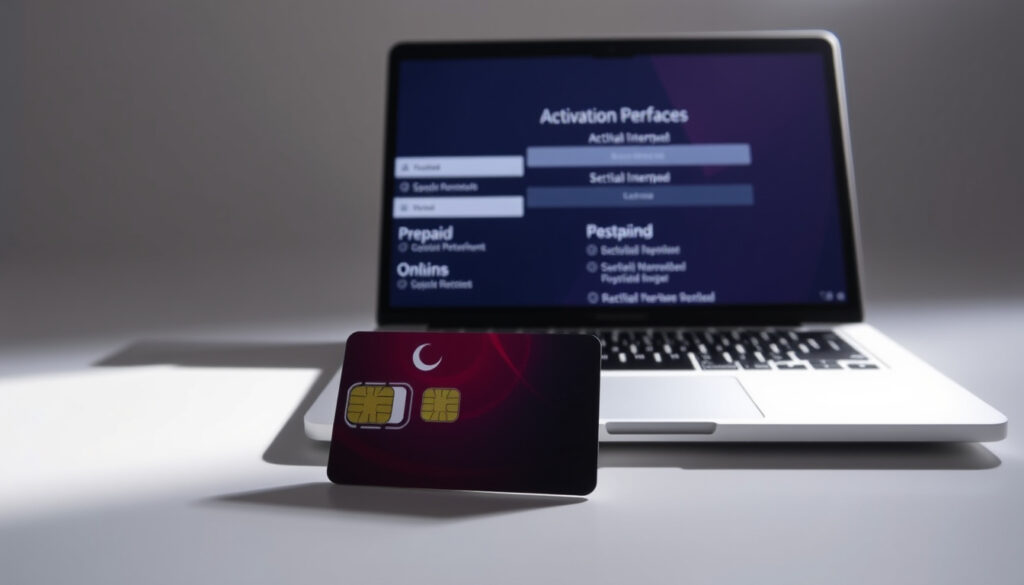
Optus Activate SIM: Prepaid, Postpaid & Online Guide
Getting a new Optus SIM card is exciting, but the activation process can trip up even experienced users. The good news is that Optus has streamlined things significantly—most activations now wrap up in under 15 minutes if you follow the right steps.
Postpaid SIM auto-activation time: within 4 hours · Prepaid activation steps: enter SIM number, select plan · Official activation page: optus.com.au/activate
Quick snapshot
- Prepaid activation requires entering the 13 or 19-digit SIM number on optus.com.au/activate (Optus official prepaid activation page)
- Postpaid SIMs purchased online auto-activate within 4 hours of receipt (Tech review comparison from Reviews.org)
- My Optus app handles Flex Plus plan activations (Optus support documentation)
- Whether international users without a local phone can complete full activation remotely
- Exact success rate data for eSIM overseas setup from official sources
- October 2025 marked a shift to primarily digital activation for both physical SIMs and eSIMs (Video guide showing 2025 digital process)
- Add international roaming via the Optus app before departure
- Contact Optus support at 133 937 if activation stalls beyond expected timeframes
The key specifications below cover the activation URLs, SIM number formats, and support contacts you will need throughout the process.
| Field | Detail |
|---|---|
| Primary activation URL | www.optus.com.au/prepaid/activate |
| Support page | www.optus.com.au/support/answer/how_to_activate_a_new_or_replacement_sim_card_8904 |
| App activation | app.optus.com.au/activate |
| SIM number location | Top of SIM card, above barcode |
| SIM number format | 13 or 19 digits |
| Minimum activation age | 14 years |
| Postpaid auto-activation window | 4 hours |
| Typical activation time | 10–15 minutes |
| Prepaid support line | 133 937 |
How can I activate my Optus SIM card?
Optus offers three distinct activation paths depending on your plan type. Understanding which applies to you prevents backtracking and wasted time.
Prepaid SIM activation steps
The prepaid route requires manual entry through the Optus website or app. According to Optus’s official activation page, you enter your SIM number, select a plan, and add your details to complete the process (Optus official prepaid activation page). Before starting, locate your SIM number—it’s printed inside the SIM pack above the barcode, and it will be either 13 or 19 digits long (Video tutorial showing SIM number location). You’ll also need valid Australian ID for verification.
Postpaid SIM activation
Postpaid activations differ primarily based on where you purchased the SIM. Optus SIMs bought online or over the phone automatically activate within 4 hours of receipt, per tech review analysis (Tech review comparison from Reviews.org). If you bought from a non-Optus retail store, you’ll need to manually enter your 13-digit SIM number and complete ID verification online.
Replacement SIM activation
Replacement SIMs follow the same process as new activations, according to Optus Support documentation (Optus support documentation). Store-ordered replacements typically activate immediately, while phone or online orders may require a store visit or a call with 100 points of ID for verification.
The implication: choosing the right purchase channel determines whether you wait passively or complete active steps yourself.
Can you activate a SIM online?
Absolutely—Optus has built its entire activation workflow around digital channels, eliminating most need for in-person support visits.
Optus online activation process
Visit app.optus.com.au/activate to begin the prepaid activation process. The page walks you through entering your SIM number, validating it, and then selecting your desired plan (Direct activation portal from Optus). For postpaid users who’ve purchased from non-Optus retailers, the same portal handles manual activations.
Using the Optus app
The My Optus app handles Flex Plus plan activations directly and supports both physical SIM and eSIM setup (Optus support documentation). Open the app, select New to Optus, choose Activate Prepaid, and follow the prompts. For eSIM activation specifically, choose the Connect digital eSIM option (Optus eSIM setup guide).
Validation steps
Every activation requires ID verification. Valid forms include an Australian driver’s license or passport. The MyGovID app reportedly handles biometric checks, though sources note this is the government’s identity verification tool (Video guide showing 2025 digital process). Ensure a stable internet connection throughout—interrupted verification can stall the entire process.
If your ID verification fails repeatedly, Optus support at 133 937 can manually verify your account over the phone, though this adds time to the process.
What this means: digital-first activation saves time but depends on successful identity verification—plan accordingly if your documents are not readily available.
Can I activate my Optus SIM without a phone?
The activation process is primarily app and web-based, meaning your smartphone isn’t strictly necessary for the initial setup steps.
Requirements for activation
You need your SIM number (13 or 19 digits), valid Australian ID, a 4G/5G compatible device, and age of at least 14 years. Video tutorials indicate that entering the ICC ID from your SIM packaging or eSIM details completes the My Optus app activation (Video guide covering age and ID requirements). The device requirement matters because you’ll eventually need to insert the SIM or configure the eSIM on a compatible phone.
Alternatives without device
You can complete the online portion—entering the SIM number, selecting a plan, and submitting ID—using any web browser. However, final confirmation requires the SIM to be in a device so you can verify that “Optus” appears next to the coverage bars (Tech review comparison from Reviews.org). If you lack a device entirely, contacting Optus directly at 133 937 may allow assisted activation.
International arrivals without an Australian-compatible phone may need to arrange temporary access to complete verification. Plan accordingly before relying on an overseas-only device.
The pattern: initial steps are device-agnostic, but final activation confirmation requires hardware—budget for this gap if you are arriving from overseas.
Can I activate an Optus SIM internationally?
Activating an Optus SIM from overseas introduces complications around verification and roaming, but it is possible with the right preparation.
International activation options
Optus support reportedly indicates that if your SIM doesn’t auto-activate upon insertion, contacting Optus support is the next step (Tutorial video with porting and ID details). International users may need additional documentation such as a visa for verification, according to activation guides.
Overseas roaming setup
Adding international roaming before departure is straightforward. You can add roaming through the Optus app or by contacting support, per the official support guidance. For prepaid users, Optus Extras includes an International Roaming add-on.
The implication: failing to add roaming before departure can leave you completely disconnected upon landing in a foreign country.
How to activate Optus overseas roaming?
Optus roaming setup is designed to be managed digitally, giving travelers flexibility before and during their trip.
Adding roaming before travel
Open the My Optus app, navigate to your plan settings, and add the International Roaming add-on. This must be done before you leave Australia—activation requires a connection to Optus’s network during the add-on provisioning. Once enabled, roaming charges apply based on your selected add-on.
Recharge while overseas
Prepaid users can top up via the My Optus app while abroad. Postpaid users don’t need to recharge but should verify their roaming package is active to avoid bill shock on international usage. Support at 133 937 can clarify roaming costs for specific destinations.
Check roaming status
After landing, toggle Airplane Mode off and on to force a network reconnect. Look for “Optus” alongside coverage bars. If you see no signal after 10 minutes, restart your device and check that the SIM is seated correctly. Manually configure APN settings for older devices from the Optus website if needed (Video guide showing 2025 digital process).
Prepaid users: add International Roaming – Optus Extras before departure, or face the frustration of zero connectivity upon landing in a foreign country.
The catch: roaming add-on provisioning requires an active Optus connection—you cannot add it once you have already left Australia.
How do I check if my SIM card is active?
After completing the activation steps, you’ll want confirmation that everything is working before relying on your Optus service.
Insert your activated SIM card into your smartphone. Within minutes, you should see “Optus” appear next to your coverage signal bars on the status bar. If you’ve completed prepaid activation online, service typically becomes available immediately. Postpaid auto-activation may take up to 4 hours from the time of receipt. For prepaid users who haven’t topped up yet, you may see the Optus network but be unable to make calls until credit is added.
If no signal appears after 15 minutes, restart your phone and check that the SIM card is properly seated. Should problems persist, contact Optus at 133 937 for prepaid or 131175 for postpaid accounts.
What this means: seeing the Optus network name does not always mean full service is active—prepaid users need added credit before making calls.
How to activate Optus replacement SIM online?
Replacement SIMs follow the same activation workflow as new SIMs, but ordering method affects the timeline.
If you ordered a replacement SIM by phone or online, you’ll need to complete manual activation through app.optus.com.au/activate. Enter the 13 or 19-digit SIM number from your new card, verify your ID, and select your plan. Store-bought replacements purchased in-person typically activate immediately upon purchase, with staff handling the registration.
The key difference is that replacement SIMs may require additional verification if your account details have changed. In such cases, Optus may ask for 100 points of ID to confirm your identity.
“The easiest activation is from an Optus SIM that’s been purchased online or over the phone because it should automatically activate within four hours.”
— Tech review comparison from Reviews.org (Tech Review Site)
“Activate your new Optus Prepaid SIM in a few simple steps. Enter your SIM number, select a plan, add some details and you’re done.”
— Optus official prepaid activation page (Official Website)
For Australian consumers weighing their options, the path forward is straightforward: prepaid users complete the three-step online process at optus.com.au/activate, while postpaid online purchasers simply wait up to 4 hours for automatic activation. Anyone porting an existing number should request a PAC code first—the code stays valid for 30 days, and porting typically completes in under 2 hours with minimal downtime.
Related reading: Coles opening hours and store details · JB Hi-Fi store hours and contact
Once you’ve activated your new Optus SIM for prepaid or postpaid use, dive into their SIM-only plans for 2025 prices and flexible data options.
Frequently asked questions
How do I check if my SIM card is active?
Look for “Optus” next to your coverage bars on your smartphone’s status bar. If you completed prepaid activation, service is immediate. Postpaid auto-activation may take up to 4 hours. Restart your phone if no signal appears after 15 minutes.
Can I recharge Optus while overseas?
Yes. Prepaid users top up through the My Optus app while abroad. Postpaid users should verify their roaming package covers international usage to avoid unexpected charges.
How do I activate Optus postpaid SIM?
Online and phone purchases auto-activate within 4 hours. Retail purchases from non-Optus stores require manual activation at app.optus.com.au/activate using your SIM number and ID.
Can I activate Optus eSIM?
Yes. Download the My Optus app, select New to Optus, choose Activate Prepaid, and pick Connect digital eSIM. You can also visit optus.com.au/support for eSIM setup guidance.
How to activate Optus SIM keeping old number?
Request a PAC code from your current provider (valid for 30 days), then enter it during the Optus activation process. Porting typically completes within 2 hours.
What if activation fails?
Ensure stable internet, correct SIM number entry, and a properly seated SIM card. If problems persist, contact Optus support at 133 937 (prepaid) or 131175 (postpaid) for assistance.
How to activate Optus replacement SIM online?
Visit app.optus.com.au/activate, enter the new SIM’s 13 or 19-digit number, complete ID verification, and select your plan. Store-bought replacements typically activate immediately in-store.
More related posts
 Rex Heuermann Sentenced to Life for Gilgo Beach Serial Killings
 200°F to Celsius: Oven Temperature Conversion Guide
 Mr Olympia 2025 – Dates, Contenders and How to Watch
 Beau Ryan: Rugby Star to TV Host – Salary, ADHD, and Retirement
 Millie Savage: Biography, Divorce, Net Worth, and Jewellery Brand
 Ethel Cain: Biography, Music, and Controversies Explained
 Garth Tander: Marriage, Net Worth & Retirement Facts
 Joe Wilkinson Biography: Career, Podcast, and Personal Life
